Welcome to my weekly cybersecurity roundup! Here, I share updates on the projects I’m currently working on, along with the most insightful cybersecurity videos I watched, articles I found valuable, and podcasts I tuned into this week.
Featured Analysis
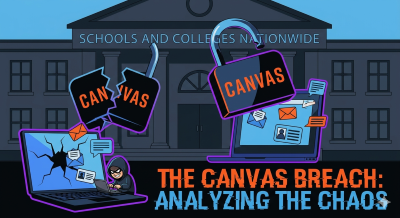
By now, you’ve probably heard about the chaos that hit Canvas last week, the platform most of us use for everything school-related. In what turned out to be a massive security headache, a notorious hacking group known as “ShinyHunters” managed to break into the systems of Instructure, the company behind Canvas. It wasn’t just a minor technical glitch; the breach affected nearly 9,000 schools and universities globally. Students and teachers logging in were suddenly hit with a ransom note right on the login page, and the situation got so bad that Instructure had to take the entire platform offline temporarily to stop the hackers in their tracks, leaving everyone scrambling during a crucial week of the semester.
When you look at the details, the “how” is a classic example of hackers finding a small crack and prying it wide open. The attackers reportedly exploited a vulnerability related to “Free-For-Teacher” accounts, which gave them a way into the system. Once they were inside, the group claimed to have made off with a staggering 3.65 terabytes of data. This haul included names, email addresses, student IDs, and, most concerning for many, billions of private messages between students and staff. While Instructure has stated they haven’t found evidence that passwords or financial information were compromised, having that much personal data and private conversation history leaked is still a major privacy disaster.
Even though the initial shock of the breach happened last week, the cleanup is just beginning, and there are a few things you should do to stay safe. First, even if your password wasn’t directly stolen, it’s a smart move to update it anyway—and please, don’t reuse that same password on other sites! You also need to be on high alert for “phishing” scams; hackers often use the names and school IDs they stole to send very convincing fake emails. Lastly, make sure you have Multi-Factor Authentication (MFA) turned on. It’s that extra step where you get a code on your phone to log in, and it’s honestly your best defense against someone trying to use your leaked info to get into your account.
Projects
- TryHackMe – Session Management – In Progress
Articles
- 76% of All Crypto Stolen in 2026 Is Now in North Korea – North Korean threat actors are pulling off historic cryptocurrency heists on a yearly, sometimes weekly basis now. AI might be helping them.
- Celebrities’ and influencers’ private communications exposed in stalkerware data breach – Recently I discovered a non-password-protected and publicly accessible database that contained 86,859 images of what looked like screenshots of a user’s device, apparently related to stalkware targeting one specific person.
- Two Americans Who Attacked Multiple U.S. Victims Using ALPHV BlackCat Ransomware Sentenced to Prison – Two American cybersecurity professionals were sentenced today to four years each in prison for their role in a conspiracy to obstruct, delay, or affect commerce through extortion in connection with ransomware attacks occurring in 2023.
- Edu tech firm Instructure discloses cyber incident, probes impact – Instructure, the company behind the widely used Canvas learning platform, has disclosed that it recently suffered a cybersecurity incident and is now investigating its impact.
- Microsoft Details Phishing Campaign Targeting 35,000 Users Across 26 Countries – Microsoft has disclosed details of a large-scale credential theft campaign that has leveraged a combination of code of conduct-themed lures and legitimate email services to direct users to attacker-controlled domains and steal authentication tokens.
- Karakurt Ransomware Negotiator Sentenced to Prison – Deniss Zolotarjovs was directly involved in extortion strategies and in negotiations with victim companies.
- We Scanned 1 Million Exposed AI Services. Here’s How Bad the Security Actually Is – While the software industry has made genuine strides over the past few decades to deliver products securely, the furious pace of AI adoption is putting that progress at risk. Businesses are moving fast to self-host LLM infrastructure, drawn by the promise of AI as a force multiplier and the pressure to deliver more value faster. But speed is coming at the expense of security.
- Vimeo data breach exposes personal information of 119,000 people – The ShinyHunters extortion gang stole personal information belonging to over 119,000 people after hacking the Vimeo online video platform in April, according to data breach notification service Have I Been Pwned.
- Student hacked Taiwan high-speed rail to trigger emergency brakes – A 23-year-old university student in Taiwan was arrested for interfering with the TETRA communication system used by the country’s high-speed railway network (THSR).
- Instructure hacker claims data theft from 8,800 schools, universities – The hacker behind a breach at education technology giant Instructure claims to have stolen 280 million records tied to students and staff from 8,809 colleges, school districts, and online education platforms.
- Romanian Man Extradited to US for Role in Hacking Scheme 17 Years Ago – Gavril Sandu, 53, was indicted in 2017, but was arrested and extradited to the United States only in 2026.
- Claude AI Guided Hackers Toward OT Assets During Water Utility Intrusion – Dragos has published a report describing how threat actors used Claude AI in an attack on a water and drainage utility in Mexico.
- Fake Claude AI website delivers new ‘Beagle’ Windows malware – A fake version for the Claude AI website offers a malicious Claude-Pro Relay download that pushes a previously undocumented backdoor for Windows named Beagle.
- Canvas login portals hacked in mass ShinyHunters extortion campaign – The ShinyHunters extortion gang has breached education technology giant Instructure again, this time exploiting a vulnerability to deface Canvas login portals for hundreds of colleges and universities.
- New Linux ‘Dirty Frag’ zero-day gives root on all major distros – A new Linux zero-day vulnerability, named Dirty Frag and tracked as CVE-2026-43284, allows local attackers to gain root privileges on most major Linux distributions with a single command.
- Former govt contractor convicted for wiping dozens of federal databases – A 34-year-old Virginia man was found guilty of conspiring to destroy dozens of government databases after getting fired from his job as a federal contractor.